

How Can Canadian Players Navigate a Casino Website More Easily?


A large online gambling platform can be difficult to use when casino games, live tables, sports markets, promotions and account tools all share one interface. The Canadian-facing version of casino spinsy is arranged around these different activities, so the most useful approach is to understand where each control sits before making decisions. This guide focuses on practical navigation: finding suitable content, checking account information, using the mobile site and avoiding confusion between promotional and real-money areas.
Begin with the lobby instead of scrolling aimlessly
The casino lobby is browser-based and provides several ways to narrow a large catalogue. Rather than browsing every title in sequence, use the search field when you already know a game name, provider or category. This is particularly helpful when a familiar title is listed alongside thousands of other slots, table games, instant games and jackpot products.
Category filters provide a second route. The Canadian lobby identifies areas such as Top, New, Popular, Exclusive, Live Games, Instant Games, Slots, Table Games and jackpots. These labels are more useful when you have a broad preference but no particular title in mind. Someone looking for a live dealer experience, for example, can begin with Live Games instead of mixing streamed tables with standard computer-generated products.
Provider filters can help when you prefer a particular studio’s design or game style. The directory includes a wide range of providers, so filtering by provider may be faster than comparing individual thumbnails. If a title supports demo play, treat that option as a way to learn the controls and format only. A short demonstration does not establish a game’s likely results, return or volatility during real-money play.
How should casino and live content be separated?
The platform places conventional casino content and live casino content within the same general account environment, but they serve different browsing needs. Standard categories include slots, table games, instant games and jackpots. Live sections include roulette, blackjack, baccarat, dice, poker, game shows and international tables. Choosing the relevant section first reduces the chance of opening an unsuitable title.
Live casino menus may also contain branded or themed subsections, including Gold Saloon, while game-show areas can feature formats such as Crazy Time, Mega Ball and Deal or No Deal. These names describe different presentation styles rather than a guarantee of a particular experience, table limit or availability. The lobby remains the appropriate place to confirm what is currently visible on your account.
Sports content is separate in purpose, even though it can be accessed through the same account. Prematch and live markets cover sports such as hockey, soccer, tennis, basketball, baseball and American football, while virtual sports and esports appear as additional areas. Do not assume that a promotion or challenge shown in one section applies to another. Read the displayed conditions before switching between casino, live and sports areas.
Which account areas deserve regular checks?
The profile area is the central place to review personal account information, while the bonus area shows active offers and their associated progress. These sections matter because a promotional balance may have conditions that differ from the underlying cash balance. A visible offer should not be treated as unrestricted funds until its rules, expiry and wagering requirements have been checked.
Challenges, Coins, the rewards Shop and VIP status are also presented as account-linked features. Completed tasks can award Coins that may be exchanged for items such as free spins, bonus funds or free bets. That structure can make the interface feel more like a rewards dashboard than a simple casino lobby, so check whether an item must be activated, whether it expires and which activity qualifies.
Verification requests may appear during account use rather than at the first point of navigation. Identity documents, proof of address, payment ownership details or additional financial information can be requested when due diligence is required. Withdrawals may remain pending until the requested information is accepted. For general Canadian information about gambling-related concerns, CAMH information on problem gambling offers independent public-health context rather than casino-specific instructions.
What changes when the site is used on a phone?
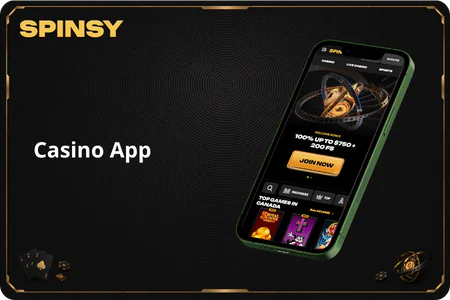
The mobile experience uses a responsive website rather than requiring a native application. Android and iOS users can access casino games, live casino, sports, promotions, challenges, the Shop and account controls through a mobile browser. This can be convenient, but smaller screens make it more important to confirm which menu is open before selecting a game or account action.
A Create Shortcut feature can place an icon on the device’s home screen. On Android, the relevant browser option is Add to Home screen; on iOS, the shortcut can be created through the Share menu. The shortcut opens the same mobile web account and balance. It is therefore a convenience for returning to the website, not evidence that a separate App Store or Google Play installation exists.
Mobile navigation works best when the phone is used for one task at a time. Open the casino lobby to search for a title, the sports area to review markets, or the account section to inspect promotions and transactions. Before confirming any action, check the page heading, selected category and displayed balance. Avoid relying on a shortcut or browser history entry if you are unsure which account screen it will reopen.
How can navigation reduce avoidable account mistakes?
Use a simple sequence when moving through the site: identify the activity, select its section, read the relevant terms, then confirm the account status. This is especially useful when an offer, challenge or cashback item is visible beside ordinary account tools. A promotion may need activation in My Bonuses, while a sports offer may have separate qualifying conditions from a casino offer.
Keep verification and payment information in mind before requesting a withdrawal. The cashier may show methods that depend on the account, region or current eligibility, and the available route can differ from the prominently displayed payment logos. Account ownership checks may also apply to cards, e-wallets or other payment methods. If the site requests documents, follow the stated support process rather than sending sensitive information through an unrelated channel.
When access problems occur, use the login and account-support route. Password recovery generally depends on registered contact details, and support may require identity verification before sensitive account changes are made. The platform lists 24/7 live chat and email support for issues involving access, bonuses, verification, payments and technical problems. Before contacting support, note the page, message and action that caused difficulty; this makes the question easier to resolve.
Frequently asked questions about site navigation
Can I search for a specific game?
Yes. The browser-based casino lobby includes search as well as category and provider filters. Search is most efficient when you know a title or provider, while categories such as Slots, Live Games or Jackpots are better for broad discovery. Availability can change, so confirm the result shown in the current lobby.
Is the mobile shortcut a separate casino app?
No. The mobile shortcut opens the responsive website through the device browser. It provides a convenient home-screen entry to the same web account and balance, but it should not be confused with a native application installed from an official app store. Use the browser’s own Add to Home screen or Share option.
Where should I look when a promotion is unclear?
Check the bonus or My Bonuses area for the offer’s displayed conditions, activation status and progress. Do not assume that a casino promotion applies to sports, live casino or virtual sports. If the information remains unclear, contact support before taking action and retain the exact offer name or message for reference.
Comments are closed.